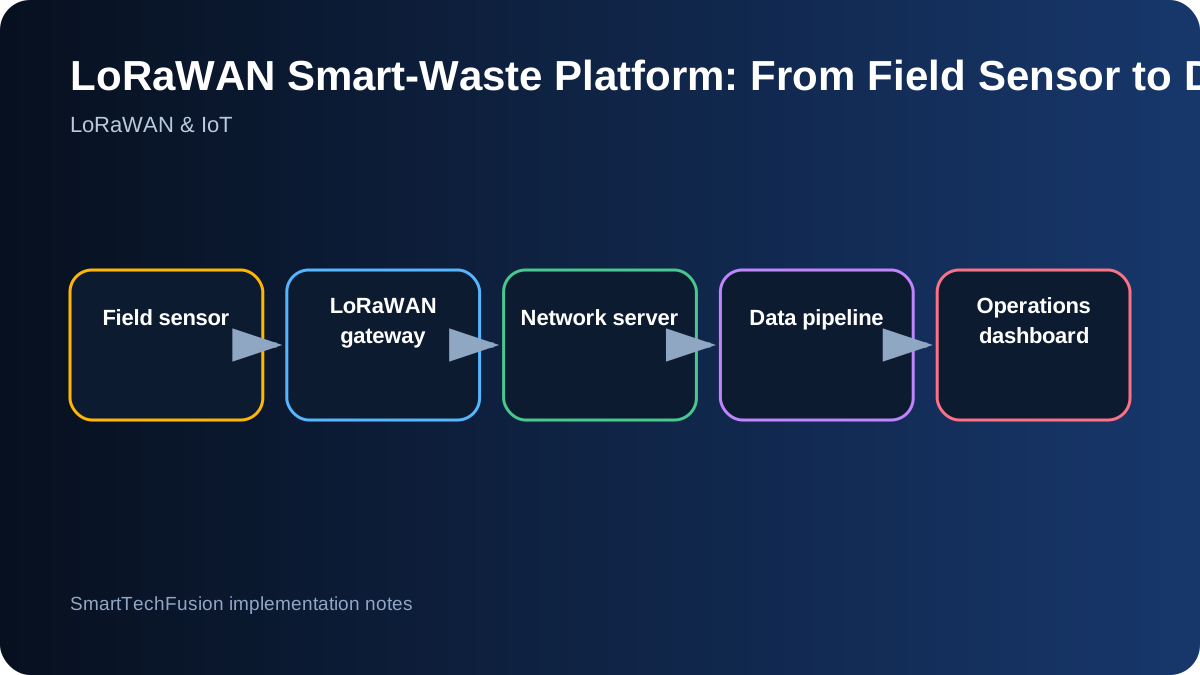
Design the complete chain before configuring devices
A smart-waste deployment is not only a sensor project. The data path includes the field sensor, LoRaWAN radio link, gateway, network server, application integration, storage, rules, dashboard, and support process. Draw this chain and assign ownership to every stage. Otherwise a missing uplink may be blamed on the dashboard when the device never joined the network.
Create a device inventory before field work. Record model, serial number, DevEUI, JoinEUI or AppEUI, activation method, keys, firmware version, battery date, installation location, container type, and expected reporting interval. Treat security keys as secrets and distribute them through a controlled handover rather than ordinary spreadsheets sent to everyone.
Validate radio coverage with representative installations
Gateway coverage cannot be confirmed from a radius claim alone. Terrain, building materials, antenna height, container construction, and sensor placement change the link budget. Test at representative locations and record RSSI, SNR, spreading factor, gateway count, and successful message rate over time. A single received packet is not enough evidence for dependable operation.
Install the gateway with attention to antenna clearance, surge protection, power, network backhaul, and weather rating. Confirm how the gateway reconnects after power or internet failure. Where coverage is marginal, changing antenna placement or adding a gateway is usually more defensible than forcing every sensor to use the slowest data rate.
Use the network server as a security and radio boundary
The LoRaWAN network server handles joins, frame counters, adaptive data rate, deduplication, and routing of application payloads. Keep network credentials separate from application users. Limit who can create devices, view keys, change integrations, or modify gateway configuration. This separation reduces the risk that a dashboard change affects radio security.
Confirm frame-counter behavior and reset procedures before deployment. Replacing a device or restoring it to factory settings may require network-side action. Document activation mode and key rotation. These details are easy to ignore during a small demo but become critical when many installed sensors must be supported remotely.
Normalize payloads into a stable application model
Vendor payload decoders often produce model-specific field names. Convert those fields into a stable internal schema such as device_id, measured_at, fill_percent, distance_mm, temperature, battery_percent, tamper, and signal metadata. Preserve the original payload and decoder version for diagnostics, but do not force every dashboard component to understand every sensor model.
Validate range and units before writing to the operational database. A distance sensor may report a raw distance that must be converted using the container depth and installation offset. Store the calibration values with version history. When a container or mounting position changes, update the calibration without rewriting historical raw data.
Monitor device health separately from the business measurement
A fill level can look normal while the device is unhealthy. Track last-seen time, battery trend, join history, signal quality, decoder errors, and repeated identical measurements. Define health states such as online, late, offline, low battery, and configuration error. Operators need to know whether an empty-looking bin is truly empty or simply not reporting.
Use reporting expectations that match the device profile. A sensor configured to report every six hours should not be marked offline after ten minutes. Allow for scheduled uplinks and event-driven messages. Health rules should include a grace period and should clear when a valid message resumes.
Create alerts that match collection decisions
A useful alert translates sensor data into an operational action. Examples include a container above a collection threshold for two consecutive reports, a rapid unexpected level change, a device not seen within its expected window, or a battery approaching replacement level. Avoid sending a notification for every uplink above the threshold.
Add acknowledgement, assignment, and closure fields if alerts are used by a team. The dashboard should show the current state while preserving the event history. For route planning, combine fill state with location, access constraints, collection schedule, and vehicle capacity rather than treating the percentage alone as the route decision.
Plan cloud access and handover early
Create least-privilege identities for the engineer, application, and operator. Separate development and production resources. Enable logs for the integration endpoint, decoder, rule engine, and database writes. Cloud permissions should support the work without giving permanent administrator access to every collaborator.
At handover, provide the device inventory, gateway configuration export, payload schema, decoder source, alert definitions, dashboard guide, backup method, credential ownership, and a test procedure. A live dashboard is only one deliverable; the client also needs enough evidence to operate and expand the system.