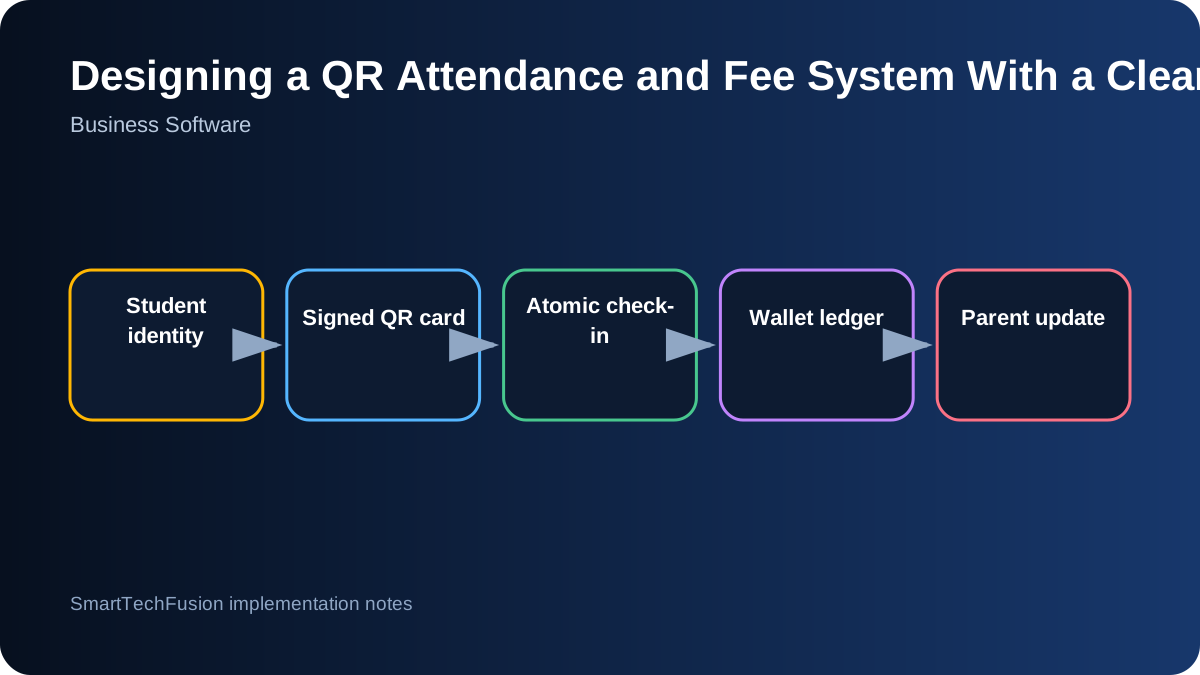
Treat attendance and money as a ledger
The safest design starts with records that can be explained later. An attendance entry should identify the student, class, scanner, date, time, operator or device, and result. A fee entry should identify the amount, reason, balance before, balance after, and the attendance record that caused it. Avoid storing only a current balance because it cannot explain how that balance was reached.
Use append-only transaction records for normal operation. Corrections should create a reversing or adjustment transaction rather than silently editing history. This is especially important when parents, teachers, and administrators may view different totals. A clean ledger makes disputes easier to resolve and lets reports be rebuilt from source events.
Give each student a stable internal identity
Names are not unique and can change. Generate a stable student identifier and link it to the student profile, class enrollment, guardian contacts, fee rule, and status. Keep contact details and class enrollment separate enough that a student can change subjects without destroying prior attendance history.
When importing an existing student list, validate duplicates before issuing QR cards. Decide how inactive, transferred, or graduated students are handled. The scanner should reject inactive credentials with a clear message, while administrators should still be able to see the historic records that belong to that student.
Put a signed token in the QR code, not personal data
A QR code should not expose the full student profile. Encode a short token or signed identifier that the server can validate. A signature prevents casual editing, while the server remains the source of truth for the student name, class, fee rule, and current status. If a card is lost, revoke or rotate the token without deleting the student record.
Printed cards need practical testing. Check scanning from phone screens and paper, under classroom lighting, at the intended camera distance, and with worn or partially obscured cards. The visual card can show the student name and subject, but sensitive contact or balance data should stay in the application.
Make check-in and deduction one atomic operation
The most important database rule is that attendance saving and fee deduction succeed together or fail together. Use a transaction so that the system cannot deduct money without recording attendance or record attendance without applying the configured fee rule. This remains important even on a local institute PC because power loss, double clicks, and network retries can happen.
Duplicate-scan control should be explicit. Define whether one attendance is allowed per class session, per calendar day, or within a time window. Return a friendly result such as “already checked in at 16:04” instead of silently ignoring the scan. Log the duplicate attempt so administrators can diagnose scanner behavior without charging the student twice.
Separate balance, payment, and adjustment transactions
A reload is not the same as a manual correction. Use transaction types such as opening balance, payment received, attendance deduction, refund, waiver, and administrator adjustment. Require a note for manual adjustments and record the user who performed them. This produces a trustworthy payment history and discourages unexplained balance changes.
Low-balance thresholds should be configurable by institute or class. Do not assume a live payment gateway is always available. The platform can generate a payment request or reference while the actual payment provider remains a separate integration with its own credentials, callback verification, and settlement process.
Queue parent notifications instead of blocking the scanner
The classroom scanner should respond quickly even when an SMS, WhatsApp, or email provider is slow. Save the attendance transaction first, then place the notification in a queue. A background worker can send the message and record delivered, failed, or retry status. This keeps check-in reliable and gives staff a way to identify messages that were not sent.
Keep messages factual and minimal: student name, class, check-in time, amount deducted, and remaining balance when appropriate. Obtain consent for the communication channel and provide a way to update guardian details. Avoid including unnecessary sensitive information in messages that may appear on a shared phone.
Report from source records and test recovery
Useful reports include daily attendance by class, absences, duplicate attempts, balance movements, low balances, payment history, and notification failures. Reports should use the same ledger records shown in the student profile so totals cannot disagree. Provide export, but keep the system database as the authoritative record.
Before launch, test camera failure, duplicate scans, insufficient balance, an inactive student, interrupted database access, provider outage, and restoration from backup. Document how to create a student, replace a card, correct a transaction, and close a class session. The quality of the recovery procedure matters as much as the normal demonstration.