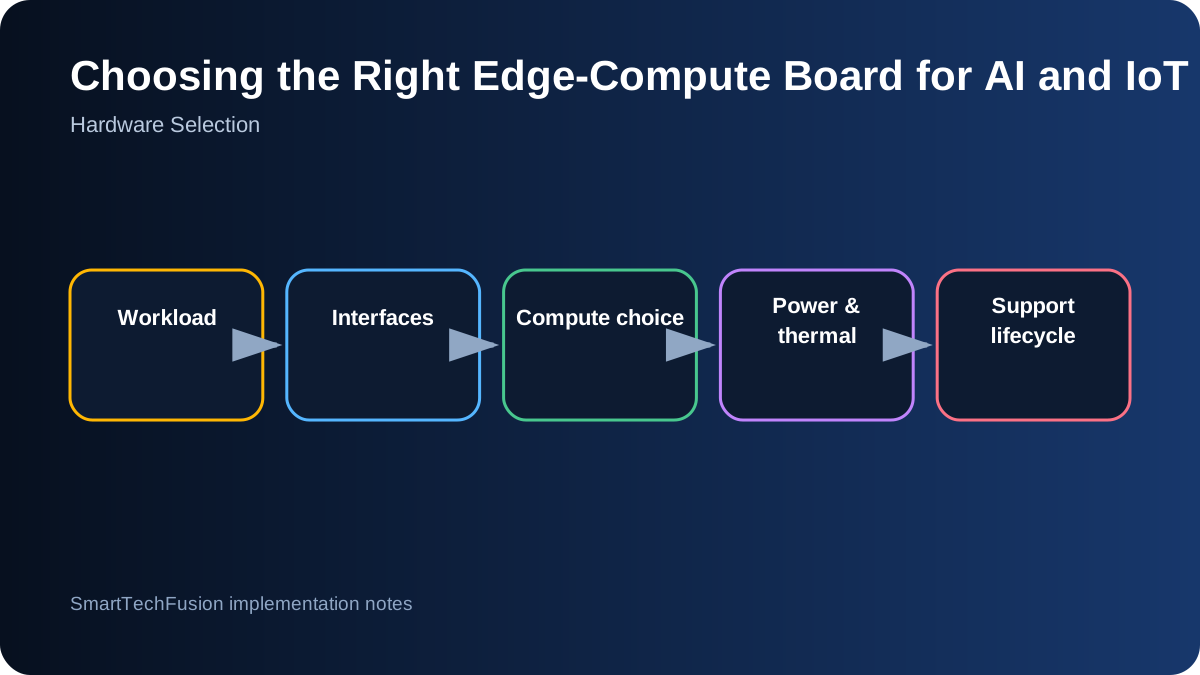
Describe the workload before naming a board
Write down input type, data rate, model or algorithm, latency target, operating system requirement, display count, camera interfaces, storage, network links, environmental conditions, and expected uptime. A board that is excellent for one workload can be wasteful or unsuitable for another.
Distinguish prototype convenience from production requirements. A desktop-like Linux board may accelerate development, while a microcontroller may deliver better startup time, power use, and reliability for a fixed sensor task. The right answer can also be a two-board architecture with a low-power controller and a higher-power application processor.
Use microcontrollers for deterministic, low-power tasks
ESP32, STM32, and similar microcontrollers are strong choices for sensor sampling, motor control, simple displays, BLE, Wi-Fi, field protocols, and periodic telemetry. They boot quickly and can sleep deeply. They are less suitable for large models, unrestricted browser stacks, or heavy local storage workflows.
Check real peripheral needs: ADC quality, timers, PWM, CAN, Ethernet, USB host, PSRAM, and secure storage. Wireless marketing names do not replace interface verification. Board-level regulators and USB bridges can dominate sleep current, so measure the selected development board rather than relying only on the MCU datasheet.
Choose Linux SBCs for application flexibility
Raspberry Pi, Orange Pi, and Radxa-class boards support Python, containers, databases, browsers, USB devices, and multimedia frameworks. They are useful for dashboards, gateways, dual-display applications, camera pipelines, and integration-heavy prototypes. They also require careful storage, shutdown, update, and service management.
Compare exact board revisions, operating-system support, mainline kernel status, display and camera drivers, eMMC availability, USB bandwidth, and community documentation. A lower-cost board can become expensive if a required driver is unstable or the installation cannot be reproduced.
Use GPU or accelerator hardware for measured AI needs
Jetson-class modules and dedicated accelerators can improve inference throughput, but model compatibility and software toolchains matter. Benchmark the actual model, input resolution, precision, preprocessing, and number of streams. A quoted TOPS number does not predict end-to-end application performance.
Consider whether the model can run on CPU at a lower frame rate or with a smaller architecture. An accelerator adds compilation, driver, thermal, and supply-chain dependencies. Use it when measured requirements justify those dependencies, not simply because the project includes AI.
Check interfaces as a complete bandwidth budget
Two cameras, an NVMe drive, and a USB modem may share a limited internal bus. Multiple high-resolution displays consume memory bandwidth. Confirm simultaneous use, connector pinout, lane allocation, and supported modes. Prototype with the intended peripherals connected together.
For industrial protocols, decide whether interfaces are native or require USB adapters. Isolated RS-485, CAN transceivers, GPIO voltage levels, relay drivers, and power conditioning usually remain external hardware tasks. The SBC is only one part of the system architecture.
Design power, storage, and thermal behavior
Size the supply for peak load, startup, USB peripherals, radios, and display power. Define behavior during brownout and power loss. Use eMMC or industrial storage where write endurance and connector security matter. Protect databases and logs with controlled writes and clean shutdown where possible.
Measure sustained temperature and throttling in the final enclosure. A board that passes a five-minute demo may slow or reset after hours. Include heatsink, airflow, ambient temperature, dust, and mounting orientation in the validation.
Select for supportability, not only specifications
Check product lifecycle, vendor documentation, available stock, replacement path, security updates, and community knowledge. Pin an operating-system image and application dependencies. Keep an installation script and recovery image for the exact hardware revision.
Create a decision matrix that weights mandatory interfaces, measured performance, power, cost, availability, development time, and long-term support. A defensible board choice explains its trade-offs and includes a fallback plan when supply or software support changes.